What’s this? A technical post?
Quick and easy one.
I was trying to install the Trend Micro Worry Free Business Advanced client on a PC and I got the following message
Unable to Remove Incompatible Software
Installation unsuccessful. The installer could not uninstall AVG 2012 x64 automatically
Manually uninstall this product and retry.
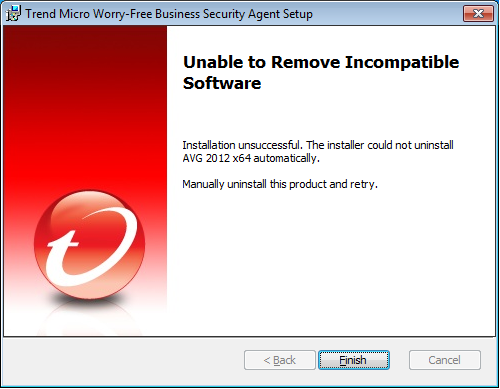
Now a message like this isn’t massively uncommon. If you already have an anti-virus product the Trend installer will try to remove it. If it’s unsuccessful that’s the message you’ll see
However, I’d already removed the existing anti-virus which in this case had been Avast (who own AVG?). So something must have been left behind after that.
AVG do have a removal tool on their utilities page. Unfortunately this didn’t do make any difference
Luckily the fix was pretty easy
* The usual “I’m not responsible for breaking your registry” warnings apply here *
Open Regedit
Locate the following key
HKEY_LOCAL_MACHINE\SOFTWARE\Microsoft\Windows\CurrentVersion\Uninstall\AVG
Delete it
That’s it.
Once I’d done that the program installed fine.
This will highly likely work for other programs. Just be sure said program is definitely removed before you do it.


Latest posts by Andy Parkes (see all)
- Dishley parkrun, Loughborough - August 1, 2023
- Woodgate Valley Country Park parkrun - July 22, 2023
- Abbey Park parkrun - June 8, 2023
